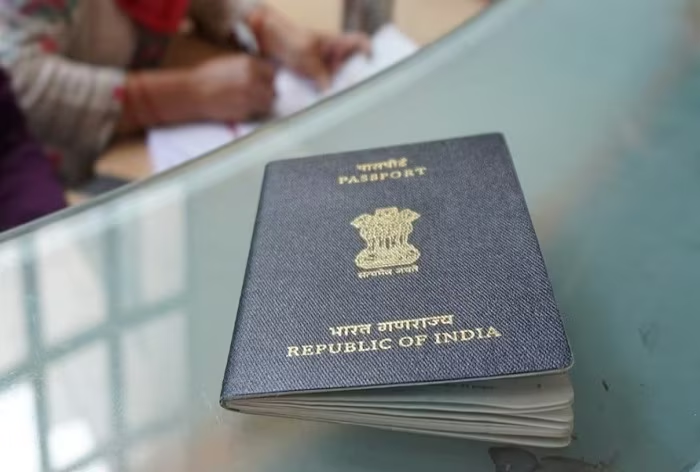
How Police Verification is Done in Tatkal Passport
How Police Verification is Done in Tatkal Passport The Police Verification will take place after passport dispatch, and there is no need for a PVR before the passport is issued. Under the tatkal scheme, the PO will dispatch the passport on the third working day after receiving the application without the need for a PVR. also read
1. Online Application : How Police Verification is Done in Tatkal Passport
Start by filling out the tatkal passport application form online. Provide all the necessary details and upload the required documents. Make sure to select the tatkal option while filling out the form.
2. Payment and Appointment : How Police Verification is Done in Tatkal Passport
After submitting the application, pay the tatkal passport fee online. Once the payment is successful, you can schedule an appointment at the nearest Passport Seva Kendra (PSK) or the Regional Passport Office (RPO).
3. Document Verification : How Police Verification is Done in Tatkal Passport
Visit the PSK or RPO on the scheduled appointment date. Carry all the original documents along with their photocopies. The passport officer will verify your documents and ensure they match the information provided in the application.
4. Police Verification : How Police Verification is Done in Tatkal Passport
In the case of tatkal passport applications, the police verification process is usually done after the passport is issued. However, it is important to note that some cases may still require pre-issuance police verification. This is determined by the passport authorities based on various factors.
If pre-issuance police verification is required, a police officer will visit your residence to verify your details. They may ask for additional documents or information during the verification process.
5. Passport Issuance : How Police Verification is Done in Tatkal Passport
Once the police verification is completed, the passport authorities will process your application. If everything is in order, your tatkal passport will be issued and dispatched to your registered address.
It is important to note that the police verification process may vary depending on the location and specific circumstances. However, the above steps provide a general overview of how police verification is done in tatkal passport applications. official site http://www.passportindia.gov.in
What is ECNR/Non-ECR in Passport : Meaning, Documents and Eligibility An Indian passport offers you the opportunity to travel to several countries for business, education, or leisure. The Indian passport offers proof of citizenship, and will be assigned an ECR or ECNR Status depending on your emigration status. Emigration checks may be required when you travel, according to your passport. Learn more about ECNR (Emigration Check Not Required) and ECR (Emigration Check Required) status in our guide. ALSO READ
With an ECNR in passport, you can travel without an emigration check. By default, all passports issued after 2007 have an ECNR Status, otherwise they will be given an ECR check if the passport holder needs to clear an emigration check.
What is ECNR or Non-ECR in Passport?
Your Indian passport will have an emigration status to inform the emigration officers whether or not they need to clear your passport. An Indian passport may have one of the following assigned to their passport’s emigration status:
The ECR Passport
The ECNR Passport
The ECNR passport’s full form is Emigration Check Not Required. On the other hand, ECR status means that an Emigration Check is Required. Children under 15 years old will get an ECR status passport automatically. The meaning of having an ECNR Status passport is that you can travel overseas without an emigration check.
ECR Passport : What is ECNR/Non-ECR in Passport
The orange ECR passports help immigration officers identify and fast-track the emigration process for those who have not received formal education. An ECR passport protects the holder from exploitation at overseas workplaces. This passport is known as an ECR passport, and was introduced in 2018. An ECR passport does not have an address page, and is used by those who do not have higher, formal education.
ECNR Passport : What is ECNR/Non-ECR in Passport
The Emigration Clearance Not Required (ECNR) passport is for those who have passed 10th grade, with the academic qualifications necessary to travel on business or holiday trips. ECNR passports allow holders to travel worldwide without an emigration clearance.
When and How to Apply for ECNR or Non-ECR in Your Passport
The Indian Emigration Act of 1983 states that, Indians can travel to certain countries for employment, only after applying for a “Emigration Clearance”, in order to protect their interests while overseas. These countries include the UAE, Yemen, Thailand, Syria, and the Kingdom of Saudi Arabia. You can find the full list in the countries that require the ECNR.
You will not require an emigration certificate to travel to many countries. Several countries allow you to travel without an emigration check, with your ECNR passport.
Eligibility for ECNR or Non-ECR in Passport
There are several individuals who may be exempted from requiring an Emigration Check Required on their passport. These people include:
Official and Diplomatic passport holders
Government officials
Income tax payers
People with professional degrees including
Doctors
Lawyers
Engineers
The dependent children and spouse of these degree holders
Those who have passed 10th standard and above
Sea cadets and seamen who have CDS and passed the finals of Nautical Sciences from these institutes:
S. Rehman
S. Chanakya
S. Jawahar
NIPM, Chennai
MTI, Chennai
Have immigration visas for countries including
The USA
The UK
Australia
Have a degree or a diploma from a polytechnic institute
Have a nursing diploma covered under the Indian Nursing Council Act of 1947
Adults over 50 years old
Have spent 3 years overseas with their spouses
Children below 18 years, traveling with one or both parents
What are the Documents Required for an ECNR or Non-ECR Passport
To apply for an ECNR passport, you need to submit address proofs with the relevant annexures at the Passport Seva office. Your academic qualifications and certificate should also be submitted to show proof of your higher formal education.
Diplomatic and Official Passport Holders
People with diplomatic and official passports do not need to provide any further documentation.
Gazetted Government Officials
Gazetted government officials and their children and spouses are eligible for ECNR. The following documents are required for Gazetted Government officials:
Identity Certificate – Annexure A
PI letter – Annexure H
NOC – Annexure G
For Gazetted Government employees’ children:
Identity Certificate in Annexure A
Government employee’s passport copy
Certificate of leaving the school
Birth certificate
For the spouses of the Gazetted Government employees:
Identity Certificate in Annexure A
Copy of marriage certificate
People with Matriculation or Higher Education
You will need to submit your matriculation pass certificates, and any higher education certification
Adults Over 50 Years Old
Birth certificate
Certificate of school leaving
Children Below 18 Years Old
Note: Children will be able to apply for an ECNR after they become 18 years old.
Certificate of school leaving
Birth certificate issued by the Municipal Authority or relevant officer
Income Tax Payers
This category includes income tax payers, their dependent spouses, and children below 18 years old. They need to provide:
Income tax proof for the past year
IT return statement for past one year stamped by the IT authorities and a photocopy of the PAN card
Spouse:
Attested copy of marriage certificate
Children:
Birth certificate
Certificate mentioning leaving from school
Professional Degree Holders
This category includes people with a professional degree which includes doctors, lawyers, and engineers. In addition, this category covers their dependent spouses, and children.
Certificate of professional degree
Spouse:
Attested copy of marriage certificate
Children: What is ECNR/Non-ECR in Passport
Birth certificate
Certificate of school
The National Council for Vocational Training (NCVT) or the State Council for Vocational Training (SCVT),
This category includes those who have received vocational training in a three-year diploma, or an equivalent degree. Certificates from institutes that are recognised by the Central or State Governments of India are eligible.
Pass certificate issued by the institute
Nurses : What is ECNR/Non-ECR in Passport
Nurses who have a degree that is recognised under the Indian Nursing Council Act. 1947 are eligible for the ECNR.
They need to provide a:
Nursing certificate
People With Overseas Stay for More Than 3 Years
Individuals who lived overseas for more than three years, along with their spouses, are eligible.
They need to submit:
Photocopy of the passport including the page with ECR / non-ECR
Spouses need to submit:
Attested copy of the marriage certificate
Passports of both spouses should have the spouse’s name mentioned
Statement with details of entry and exit dates, along with the passport
Seamen, Deck Cadets & Sea Cadets
These individuals can apply with:
Continuous Discharge Certificate
Immigration Visa Holders
Individuals who have immigration visas from another country can submit their:
Photocopy of the immigration visa
Permanent Resident card of nation
Documents Required to Check ECNR or Non-ECR Status in Your Passport
You can check the current status of your ECR or ECNR on your passport with a request. In the request, you need to submit the following documents:
Form EAP-2
Rs. 300, paid via Demand Draft or cash
Original passport
Address proof
2 attested copies proving any of the eligibility criteria mentioned above
2 copies of first 4 and last 4 pages of your passport
Benefits of ECNR or Non-ECR Category on Passports
One of the questions you’ll notice on your passport application form is “Are you eligible for a Non-ECR category passport?”. If you have not passed 10th standard and do not have the qualifications and certificate to prove it, then you will put NO. You will select YES as the answer to this question if you passed 10th standard or come under any of the Non-ECR categories.
With an ECNR passport, you get fast-tracked clearance by skipping the emigration checks. This makes it easier and faster to get through the port of entry (usually an airport) when you travel for work, study, or holiday.
An ECR passport safeguards workers from being exploited in the countries mentioned in the ECNR required list. The Indian Emigration Act issues the ECR so that Indian workers can travel safely to and from their country of employment, and are assured of a healthy, safe, and comfortable passage and work.
Convert Your Passport from ECR to ECNR
Do you have an ECR passport, yet want to travel overseas to work? You will need to convert your ECR passport to an ECNR in order to travel for employment. The ECR status removal is simple and straightforward.
Follow these steps to apply for an ECNR:
Log in to the Passport Seva official website to download the application listed under miscellaneous service
Request an Emigration Check Required deletion service
Submit two attested copies of your college certificates, as well as 10th and 12th standard certificates
Provide address proof, which can be
voter ID
electricity bill
phone bill
lease or rental agreement
PAN card copy and original
Rs. 300 request fee
Hand in your original passport, as well as 2 copies of the first and last 4 pages
Visit your nearest passport office to submit the ECR deletion form with the required documents
Your request to delete the ECR stamp will be processed within 5 to 7 working days, after which you can travel around the world for work! Official site
Countries That Require an ECNR
The Indian government’s Emigration Act safeguards Indian citizens working overseas from exploitation and challenges. There are currently 18 countries which require you to receive an Emigration Clearance from the Protector of Emigrants (POE) attached to the Ministry of Overseas Indian Affairs. You will need to apply for the ECNR passport status before you travel to any of these countries:
Indian passports are issued by the Ministry of External Affairs of the Republic of India to Indian citizens, and are a proof of Indian citizenship according to the Passport Act (1967). Passports are issued by the Passport Seva (the Passport Services) office of the Consular, and Passport & Visa Division of the Ministry of External Affairs. With an Indian passport, you can travel across the world on leisure or business trips. Indian passport holders can travel to several countries visa-free or with a visa on arrival. Other countries require you to apply for a pre-approved visa you may also read
There are 5 types of passports in India, including online or e-Passports. The majority of Indian citizens receive a dark blue Type P (personal) passport, while others may get an ECR passport. Government officials and diplomats are issued passports according to their travels and occupation. In this article, you’ll learn more about the different passport types, and how to get an Indian passport according to the type you need, in this article.
Different Types of Passports in India
There are two categories of Indian passports, which are digital or online ePassports, and offline or physical passports. In the physical passport category, there are 4 different types of passports in India, issued based on citizenship status, government work, diplomat status, and citizens who have not studied past 10th grade/class/standard. Indian passports are alloted different colours according to the type of travel status the passport holder has. This helps speed up and streamline immigration and security processes, especially for the orange emigration visa to safeguard the interests of travellers working overseas.
Physical, Offline Passports
Blue Personal Passport
Letter: P, for Personal
The blue passport is the ordinary passport, also known as type P. This passport is issued to Indian citizens and is blue to differentiate it from official passports. These passports are generally issued between 30 to 45 days. Indian passport holders can travel for leisure or business with an ordinary personal passport.
In the ordinary blue passport category, you can opt for a Tatkal (urgent) passport or a Short Validity Passport (SVP) based on your requirements. You can get a Tatkal passport within a few days by furnishing the required documents and paying an additional amount.
White Service Passport
Letter: S, for Service
White passports are official passports issued to people who work for the Indian government. Officials travelling outside India on official travel use the white passport. Individuals with white passports include IAS and Indian Police Service Department officials.
Orange Emigration Passport
The orange emigration passports help immigration officers identify and fast-track the emigration process for individuals who have not received formal education. An orange passport protects the holder from exploitation at overseas workplaces.
The Indian Emigration Act of 1983 states that all Indian citizens need to get an “Emigration Clearance” before travelling. These countries include the UAE, Yemen, Thailand, Syria, the Kingdom of Saudi Arabia, Kuwait, Brunei, Bahrain, Sudan, Qatar, Oman, Malaysia, Libya, Lebanon, Jordan, Indonesia, and Afghanistan.
Letter: ECR, for Emigration Check Required
The orange passports are ECR passports and were introduced in 2018. People who do not have a higher level of formal education use these passports, which do not have an address page.
Letter: ECNR, for Emigration Check Not Required
The Emigration Clearance Not Required (ECNR) passport is for individuals who have passed 10th grade with the academic qualifications necessary to travel on business or holiday trips. ECNR passports allow holders to travel worldwide without emigration clearance.
Maroon Diplomat Passport
Letter: D for Diplomat The maroon passport is a diplomatic passport. This passport is issued to Indian diplomats, Members of Parliament, Union Council of Ministers, and government officials with high-ranking diplomatic couriers. High-ranking state-level Indian officials on official business may also request and apply for a diplomatic passport.
Online or e-Passports
Although all diplomatic passports have become e-passports since 2008, many Indian citizens will soon have access to online e-passports from 2023 onwards. These online e-passports have an electronic chip to fast-track immigration and security procedures.
What’s special about an e-passport?
You can clear immigration and security faster with an electronic passport.
E-passports have biometric data that foils scams, duplicates, and fraud attempts.
The e-Passport is tamper-proof thanks to the embedded security chip.
Your biometric e-Passport will include your biometric data, as well as your iris print and photograph.
Requirements for Passport Types in India
Personal Passport
Any Indian citizen can apply for a personal passport. An Indian citizen is anyone who can identify with any of the following categories:
Indian citizen by birth
Citizen of India by descent
Citizens of India, by neutralisation or naturalisation
Diplomatic Passport
The following people can apply for the maroon diplomatic passport:
Officers from Indian Foreign Services (Branch A)
Officers from the Ministry of External Affairs and selected officers from the Indian Foreign Service (Branch B)
Dependents, including
parents
son or daughter
spouse
official hostess travelling with the official
Officials with a diplomatic status
Officials on Government of India business
The official’s dependents may obtain a diplomatic passport for studying, or working outside of their country of residence.
Personal Passport
Any Indian citizen can apply for a personal passport. An Indian citizen is anyone who can identify with any of the following categories:
Indian citizen by birth
Citizen of India by descent
Citizen of India by neutralisation or naturalisation
Emigration Passport
Indian citizens can apply for an Indian emigration passport if they have not completed 10th grade or have not completed but do not have the necessary documents for SSC. Children under 15 years old can immediately obtain an ECR passport.
The following people are eligible for emigration passports (ECR and ECNR):
Individuals who worked overseas for 3 or more years, either at one time or over the 3 years
Minors under 18 years old
Adults over 50 years old
Individuals who pay income tax from regular professions or businesses
Official Service Passport
Indian government officials or individuals representing the Indian government are eligible for a white Type S passport. Applying for a white official passport differs from applying for an ordinary blue passport.
An official service passport is issued to the following people:
Indian Government Officials
IAS Officials
Indian Police Service Department Officials
Documents Required to Apply for an Indian Passport
The passport application process is simple and straightforward. You can expect to receive your passport within 30-45 days from the time you schedule a passport office appointment, provided your documents are filed correctly and all application steps are followed. To apply for a passport, you will need to submit photocopies of official documents including address and age proof.
Address Proof
Aadhaar card, utility bill, rent agreement, telephone/post-paid mobile bill, bank account passbook, spouse’s passport copy
Proof of age
Aadhaar card, Birth Certificate, PAN card, Voter ID, Driver’s licence
Non-ECR (Emigration Check Not Required)
Documentary proof (if applicable)
How to Apply for a Passport in India?
To apply for a passport online, follow the steps mentioned below:
Step 4: Now, click ‘Pay and Schedule Appointment’ to fix an appointment and make the payment.
Once the payment is made, print the receipt and visit the Passport Seva Kendra or Regional Passport Office for the appointment.
Passport Application Fees
Application fees are the same across all types of passports. The passport application fees only differ when it comes to reissuing or requesting for a duplicate passport.
Fresh/reissue of passport
₹1500
36 pages (standard size) with 10-year validity
Fresh/reissue of passport
₹2000
60 pages, (‘jumbo’ size) with 10-year validity
First time applicant or renewal with expedited (‘tatkal’) service
₹3500
36 pages with 10-year validity.
First time applicant or renewal with expedited (‘tatkal’) service
₹4000
60 pages with 10-year validity
Fresh passport issuance for minors (below 18 years of age) with 5-year validity or till the minor attains the age of 18, whichever is earlier
₹1000
–
Duplicate passport in lieu of lost, damaged or stolen passport
₹3000
(36 pages)
Duplicate passport in lieu of lost, damaged or stolen passport.
₹3500
(60 pages)
Frequently asked questions
FAQs
Which type of passport should a person without formal education apply for?
People who don’t have any formal education can apply for an orange (ECR) Emigration Clearance Required passport.
Which type of passport should a person who has completed 10th grade apply for?
People who have completed their 10th grade can apply for an orange (ECNR) Emigration Clearance Not Required passport.
Who is Eligible for Different Types of Passports in India?
The table below shows the eligibility criteria for different types of Indian passports:
Different Types of Indian Passports and Who Can Apply
Blue: Regular Indian citizens
Maroon: Diplomats
White: Government Officials
Orange: ECR: People who have not finished schooling past the 10th grade. ECNR – People who have finished schooling past the 10th grade.
Where can I apply for an Indian passport?
You can schedule an online appointment to apply for an Indian passport at the Passport Seva portal. Once you apply online, you will need to visit your closest Passport Seva office to complete the process.
How many types of passports are issued in India?
There are 5 types of passports, including the commonly used dark blue personal passport, diplomatic passport, service passport and emigration passport.
How long does it take to get an Indian passport?
You can expect to have your passport in hand within 30 to 45 days if you have filed the necessary documents and followed the correct procedure. Tatkal or emergency passports may be issued within 2 to 3 days.
Is the application fee across different types of passports the same?
The application fees are the same across all types of passports. Fees for application vary only according to reissue or duplicate copy status.
What is a yellow Indian passport?
The yellow Indian passport in India is an identity card that is most commonly issued to Tibetans seeking refugee status in India
What is Passport Seva Kendra? Have you ever wondered what is Passport Seva Kendra (PSK) and what it does? Well, you’re not alone. With the increasing demand for passports in India, PSK has become the go-to place for those seeking to apply for, renew or update their passport. In this article, we’ll take a closer look at what PSK is, what services it offers, and how it can help you with your passport needs. So, let’s get started! Read more
PSK’s responsibilities and duties : What is Passport Seva Kendra?
Here’s what you should know about Passport Seva Kendra India’s duties and responsibilities. also know
Accepting passport applications: One of the primary responsibilities of Passport Seva Kendras is to accept passport applications from Indian citizens. They must ensure that all necessary documents are submitted, including proof of identity, address, and date of birth.
Processing passport applications: Once a passport application is submitted, the PSK office is responsible for processing it. This includes verifying the documents submitted, conducting background checks, and printing the passport.
Issuing passports: After a passport application has been processed, the PSK issues the passport to the applicant. They must ensure that the passport contains all necessary information, including the applicant’s name, photograph, and personal details.
Handling passport queries: If an applicant has any queries or concerns regarding their passport application, the PSK is responsible for addressing them. They must provide accurate and timely information to the applicant and resolve any issues that arise.
Maintaining passport records: PSKs must maintain accurate records of all passport applications received, processed, and issued. They must ensure that these records are secure and confidential.
Ensuring compliance with passport regulations: PSKs are responsible for ensuring that all passport applications comply with relevant regulations and guidelines. They must reject applications that do not meet the necessary requirements and take appropriate action against fraudulent applications.
Passport Seva Kendra Online application process : What is Passport Seva Kendra?
Below are the steps you need to follow to apply on PSK.
Step 2: Once you have registered, you need to fill out the application form with your personal details and submit it online. Make sure you fill in all the required fields correctly.
Step 3: After submitting the application form, you need to make an online payment for the passport fees. The fee will vary depending on the type of passport you require and how quickly you need it.
Step 4: Once you’ve paid the fees, you will be given an appointment date and time at your nearest Passport Seva Kendra. Ensure you show up on time to the passport office, as missing your appointment can delay your passport application process.
Step 5: On the day of your appointment, make sure you bring all the required documents with you. This includes proof of identity, proof of address, and any other documents that may be needed depending on the type of passport you’re applying for.
Step 6: When you arrive at the Passport Seva Kendra, you’ll need to go through a security check before entering. Once inside, you’ll need to submit your application form and documents to the passport officer.
Step 7: After verifying your documents and taking your biometric data (fingerprints and photograph), your passport application will be processed. You’ll be given an acknowledgement receipt with your file number, which you can use to track the status of your application online.
Step 8: Depending on the type of passport you’ve applied for, it can take anywhere from a few days to a few weeks to receive your passport. Once it’s ready, you can collect it in person from the passport office (PSK).
Applying for Passport Seva Kendra offline : What is Passport Seva Kendra?
By following these steps, you’ll be able to apply for a passport through Passport Seva Kendra offline.
Step 1: Gather all the necessary documents. These will typically include your proof of identity, proof of address, and any other supporting documents that may be required based on your circumstances.
Step 2: The next step is to download the passport application form from the Passport Seva Kendra website or collect it from a PSK centre. Once you have the form, fill it out completely, making sure to follow the instructions carefully. Don’t forget to sign the form where required!
Step 3: With the filled-in application form and supporting documents, you’ll need to book an appointment at your nearest Passport Seva Kendra centre. You can do this by visiting the PSK website or by calling the PSK helpline number.
Step 4: On the day of your appointment, make sure to arrive at the PSK centre well before your scheduled time. Bring along all the necessary documents and the filled-in application form. Once you arrive at the passport office, follow the instructions given to you by the PSK staff and complete the necessary procedures.
Step 5: After completing the necessary procedures, you’ll need to pay the passport application fees. The fees will depend on the type of passport you’re applying for and other factors, so make sure to check the fees beforehand.
After paying the fees, you’ll be given a receipt that you’ll need to keep safely. Your passport will be processed and sent to your registered address within a few days.
Checking availability of online appointments at PSK: Step-by-step guide : What is Passport Seva Kendra?
Here’s a step-by-step guide for checking the availability of online appointments at Passport Seva Kendra.
Step 1: Visit the official Passport Seva Kendra website (https://portal2.passportindia.gov.in/). This is where you’ll be able to check the availability of online appointments.
Step 2: On the website’s homepage, you’ll see various options such as “Apply for Fresh Passport/Reissue of Passport”, “Diplomatic/Official Application”, “Police Clearance Certificate (PCC)”, and so on. Choose the option that applies to you.
Step 3: Once you’ve selected the appropriate option, you’ll need to either login with your existing account or register for a new account. If you’re a first-time user, you’ll need to create an account by clicking on the “Register Now” button and providing your basic details.
Step 4: After logging in or registering, you’ll be directed to the page where you can fill in the required details such as your name, date of birth, place of birth, etc.
Step 5: After providing your personal details, you’ll be asked to select the Passport Seva Kendra that is nearest to your location. Choose the one that is most convenient for you.
Step 6: Once you’ve selected the Passport Seva Kendra, you’ll be able to check the availability of online appointments. Simply select the date and time that suits you best and confirm the appointment.
Protocol to follow on appointment day at the Passport Seva Kendra office : What is Passport Seva Kendra?
By following these simple guidelines, you can help ensure a smooth and hassle-free experience at the Passport Seva Kendra office on your appointment day.
Arrive on time: It’s always a good idea to arrive at the passport office a little early, just to make sure you have enough time to go through security checks and locate the correct counter.
Bring all necessary documents: Before you leave your house, make sure you have all the documents you need for your passport application. This includes your application form, photo ID, address proof, and any other supporting documents required by the Passport Seva Kendra.
Dress appropriately: You don’t need to wear a suit and tie, but it’s important to dress modestly and comfortably for your appointment. Avoid wearing anything too revealing or offensive, as this could cause delays or problems.
Follow the rules: Once you’re inside the Passport Seva Kendra office, make sure you follow all the rules and regulations. This includes staying in the designated waiting areas, not using your mobile phone, and avoiding any disruptive behaviour.
Be patient: Depending on how busy the Passport Seva Kendra is, you may have to wait for a while before your turn. Try to be patient and calm, and avoid getting frustrated or angry. Remember, the staff are doing their best to help you get your passport!
Ask for help if you need it: If you’re unsure about anything or need assistance with your application, don’t hesitate to ask one of the staff members for help. They’re there to assist you and will be happy to answer any questions you have.
How to check my Passport Seva Kendra application status? : What is Passport Seva Kendra?
Tracking the status of an application online is now easier than ever before. Here’s a step-by-step guide on how to track the status of your Passport Seva Kendra application.
Step 1: Visit the official Passport Seva Kendra website
The first step to tracking your application is to visit the official Passport Seva Kendra website. Once you’re on the homepage, click on the ‘Track Application Status’ link.
Step 2: Enter your Passport Application Number
Next, you’ll need to enter your Passport Application Number in the given field. This number should have been given to you when you submitted your application.
Step 3: Select your application type
After entering your Passport Application Number, you’ll need to select your Application Type. This will be either ‘Normal’ or ‘Tatkaal’, depending on the type of application you submitted.
Step 4: Enter your date of birth
Once you’ve selected your Application Type, you’ll need to enter your Date of Birth in the given field.
Step 5: Click on ‘Track Status’
After entering all the required details, click on the ‘Track Status’ button. This will take you to a page where you can view the status of your application.
Step 6: Check the status of your application
Finally, you’ll be able to see the status of your application. This will give you an idea of how far along the process your application is, and whether there are any issues that need to be addressed.
Frequently asked questions
In this section, you can find answers to some of the most frequently asked questions regarding PSK.
What is Passport Seva Kendra (PSK)? What is Passport Seva Kendra?
Passport Seva Kendra (PSK) is a government-run passport issuance and renewal facility in India, where citizens can apply for their passport and complete various related services.
What services are provided at Passport Seva Kendra?
Passport Seva Kendra provides a variety of passport-related services, such as applying for a new passport, renewing an existing passport, updating or modifying personal information on the passport, and applying for a police clearance certificate.
How can I apply for a passport through Passport Seva Kendra?
To apply for a passport through Passport Seva Kendra, you need to register on the website of Passport Seva, fill out the application form, and pay the applicable fees. To finish the application process, make an appointment at the closest Passport Seva Kendra.
What documents are required to apply for a passport at Passport Seva Kendra?
To apply for a passport at Passport Seva Kendra, you need to submit various documents, such as proof of identity, proof of address, proof of date of birth, and any other relevant documents depending on your specific case. These documents may vary depending on whether you are applying for a new passport, renewing an existing passport, or modifying personal information on the passport.
How long does it take to get a passport through Passport Seva Kendra?
The time taken to get a passport through Passport Seva Kendra depends on various factors, such as the type of passport application, the number of applications being processed, and the time taken for verification of documents. Generally, it takes around 2-3 weeks to get a passport through Passport Seva Kendra.
What is the fee for getting a passport through Passport Seva Kendra?
The fee for getting a passport through Passport Seva Kendra varies depending on the type of passport application, such as fresh passport, renewal, Tatkaal, or under the normal category. The fee also depends on the number of pages and duration of validity of the passport. You can check the fee structure on the official Passport Seva website.
Disclaimer: The content on this page is generic and shared only for informational and explanatory purposes. It is based on several secondary sources on the internet and is subject to changes. Please consult an expert before making any related decisions.
The world came to a standstill in 2020 in the throes of the contagious and deadly COVID-19 pandemic. In the midst of the pandemic, the medical industry formulated a life-saving vaccine that was able to mitigate the rising number of deaths and prevent further casualties. During the pandemic, countries around the world imposed blanket bans on travel, to prevent the spread, and keep their citizens and travelers safe.
In the wake of a post-pandemic world, travel restrictions are being lifted, as the world slowly hobbles back to some semblance of “normalcy”. One of these travel measures still in effect is linking your passport and your COVID-19 certificate of vaccination for international travel. Learn more about your COVID-19 vaccination certificate from the CoWin portal, and how to link a passport with a vaccine certificate.
How to Link Your Vaccine Certificate with Passport Number in India
Register on the CoWIN app by selecting your passport as your photo ID and entering your mobile number to receive a One Time Password (OTP) for security purposes
Fill in your passport details in the photo ID section field
Once your application is verified via OTP, you will proceed to the registration page
Fill in your name, gender, age, photo ID type, and other information
Choose the ‘Passport’ option as your photo ID type, and enter your passport details
On the COWIN portal, schedule a vaccination appointment to get vaccinated
Under the ‘Book Appointment for Vaccination’ page, you can look up vaccination centers close to you
Select ‘Book’ when you find a vaccination center close to you
Get your initial COVID-19 vaccination, as well as your follow-up dose on the appointed time. After you complete your 2 vaccinations, you will need to get booster doses to keep the efficacy of the vaccines going.
Linking Your Vaccination Certificate to Your Passport
If you already registered on the CoWIN portal, and received your COVID-19 vaccines, you have to update your passport details. You can link your passport with the vaccine certificate in the COWINPortal.
Update Your CoWin Passport Details : How to Link Passport With Vaccine Certificate?: Complete Guide
Step 1: Add passport number in COVID vaccine certificate
Log in to your CoWIN account, click on ‘Account Details’, and select the ‘Raise Issue’ option. Then choose ‘Add Passport Details’ and enter your passport number in the ‘Enter Beneficiary’s Passport Number’ section. Once you enter your passport number you will not be allowed to modify it, so check thoroughly .
Step 2:Confirm and submit changes
Enter your passport number and tick the declaration box. Go ahead and click on the ‘Submit Request’ button.
Step 3:You’ll receive a text message confirmation
Your registered phone number with your CoWIN account will get a text notification confirming your request. You should also receive another message stating that your request has been successfully updated. It may take a few minutes to receive this message.
Why You Need to Link Your Vaccination Certificate to Your Passport
If you’re planning on traveling overseas, you will need to link your vaccination certificate to your passport to prove that you are fully vaccinated against the contagious COVID-19 coronavirus strain. Without a vaccination certificate, you may be denied entry to several countries, and may be deemed a health threat, ultimately being deported or forced to quarantine. You will need to submit other relevant medical certificates including COVID-19 test to confirm you are healthy enough to travel. Even as COVID-19 shows signs of fully letting up, not all countries will allow you to travel without a vaccination certificate, COVID-19 tests, or other similar medical clearances.
Some countries have rolled out vaccine passports, where the passports are proof of being vaccinated. In India, you only need to link your vaccination certificate to your existing passport for seamless travel.
Downloading a Copy of Your Vaccination Certificate Linked to Your Passport
You can download your vaccination certificate and link it to your passport. To do this, visit the COWIN website and click on the ‘Account Details’ section. Select the ‘Certificate’ where you added your passport details. When you choose to download, your vaccine certificate will be automatically linked to your passport.
Correcting Errors in Your Vaccination Certificate
You can edit errors in your vaccination certificate such as incorrect name, date of birth, gender or photo ID number. To correct errors, visit the COWIN website to edit details on your vaccine certificate. You can only correct these errors once! Be careful when you update your details, because this is an official document that will help you travel easily.
When you edit the errors, your old vaccination certificate will be rendered null and void. Your new and updated vaccination certificate replaces your old one.
Steps to Correct Vaccination Certificate Errors
Visit the COWIN Portal and sign in
Enter your registered mobile number and tap to get an OTP
Enter the OTP to verify and proceed
Request the “raise an issue” to choose the Correction in Certificate option
You can choose the fields you want to correct in your vaccine certificate
You can edit any 2 fields from:
Name
Date of birth
Gender
Aadhaar card number/PAN card/passport number
Make the corrections and enter submit
About the Vaccination Certificate
The Ministry of Health and Family Welfare division of the Indian Government issues a vaccination certificate to people who have successfully received their COVID-19 vaccination. Each subsequent dose is assigned a relevant certificate. Upon receiving all doses of the vaccination, you will receive a certificate that verifies you are fully vaccinated. This may be 2 doses for Covishield or 1 for Sputnik variants of the vaccine, for instance. You can show these vaccination certificates when you travel, to prove your vaccination status.
The Indian Government assigns these vaccination certificates depending on what you have received:
First Dose
Second Dose
Precautionary (Booster) Dose
Fully vaccinated certificate for all doses
By linking your certificate to your passport, you can travel to many countries for work, education, or leisure purposes. Be careful not to share your COVID-19 vaccination certificates publicly and with people you do not know, however. Your vaccination certificate has important personal data including your name, age, gender, and details of your vaccination.
Registering on the COWIN Portal
The CoWIN online portal was set up by the Indian government’s Ministry of Health and Family Welfare to help people find and register for COVID-19 vaccination appointments, and to receive the vaccine certificate upon completion of the vaccination. Before you can link your COVID-19 vaccination certificate to your passport, you will need to register your vaccine(s) on the COWIN portal. Skip this section if you already registered on the COWIN portal.
Benefits of Vaccination Certificates
Download your vaccination certificate right after receiving your vaccination. The vaccination certificate offers you a host of benefits, including hassle-free travel and confirming your vaccination status.
COVID vaccination proof
Specific information about type of vaccine (Covaxine/Covishield) or doses received
Proof to enter public places, including shopping malls
Frequently asked questions
Here are some answers to the most common asked questions related to how to link passport with vaccine certificate.
Why do I need a vaccination certificate?
You need a vaccination certificate as proof of your vaccination. In addition, you can establish that you have been vaccinated during traveling. read more
Is it mandatory to link passports with vaccination certificates?
Yes, you need to link your passport with your vaccination certificate. The Indian government’s COVID-19 vaccine rules and regulations cover people traveling overseas to work, study, or on vacation to obtain the CoWin vaccination certificate and link it to their passport.
Where can I download passport linked vaccine certificates?
Sign into your COWIN portal account. Click on ‘Account Details’ and select ‘Certificate’. Press download, you can then check that the certificate will be successfully linked to the passport.
The name mentioned on my passport and my CoWin vaccine certificate is different – will this cause an issue while traveling overseas?
In case the name on the certificate is not similar to the name on the passport, a name correction can be requested for as well. Requesting a name change is only possible once! Ensure there are no mistakes while entering these details.
I forgot to use my passport as ID proof while registering. Can I link it to my passport on COWIN?
You can still linkvaccine certificates to passports on the COWIN Portal, without any issues.
Can I download my passport linked vaccination certificate without a mobile number?
No. You have to provide a mobile number in order to receive and download a vaccination certificate. Providing a mobile number also helps you sign in and receive OTPs.
Disclaimer: The above content is sourced from secondary sources on the internet and is meant for informational purposes only. It is subject to changes. It is recommended to take the help of an expert before making any related decision.
A passport is a crucial document when it comes to international travel. Thus, you need to possess it while travelling abroad. However, there are several occasions on which you might need to apply for a duplicate passport. If you are looking for how to go about the process, this article has the answer. Read ahead for an overview of different aspects associated with a duplicate passport or a passport reissue process. read more
When can you apply for a duplicate passport or passport reissue?
Usually, one can apply for a duplicate passport or passport reissue in case of the following.
The current passport validity has expired or is about to expire.
The pages of the passport are exhausted.
The passport is lost.
The passport is damaged within or beyond recognition.
There are changes to be incorporated into the existing details of the passport.
How to apply for a duplicate passport offline : Duplicate Passport in India: How to apply & Documents Required
You can apply for a duplicate passport offline at the Passport Seva Kendra office or the PSK website. You should fill in a hard copy of the form and submit it in person.
How to apply duplicate passport online
Here’s how you can apply for a duplicate passport online.
Step 1: Go to the PSK website and select the appropriate option for passport application from the following.
Diplomatic passport
Ordinary passport
Surrender Certificate
Identity certificate
Police clearance certificate
Step 2: After selection, the website directs you to the appropriate form stating the steps for applying for the duplicate passport.
Step 3: Log in or register on the website.
Step 4: In case of a new account, a link shall be shared for the activation.
Step 5: You can complete the form online and provide all the necessary details.
Step 6: Cross-check all the information before submission.
Step 7: After submitting the form, you will receive an acknowledgement through which you can track the status of your passport application on PSK.
Documents required for a reissue of passport
Various documents may be required depending on the circumstances of applying for a duplicate passport. Fewer documents are necessary if the application is because of expiring validity or exhausted passport pages. You can also apply for tatkal in this case. However, suppose the passport is completely damaged and beyond recognition, and the passport number and other details are also unavailable; you must fill out a regular duplicate passport application form and provide the needed documents for a reissue. Generally, the documents required for a reissue are as follows.
1. Address proof of present residence.
● Telephone bill
● Passport copy of spouse
● Parent’s passport copy
● Gas bill
● Certificate from employer
● Aadhaar Card
● Water bill
● Election Photo ID card
● Registered rent agreement
● Income Tax assessment order
2. Date of birth certificate of the applicant
● Secondary school leaving certificate from the last school attended or a recognised educational institution
● Birth certificate provided by a municipal authority or an official entity
● Literate or semi-literate applicants: Affidavit endorsed by a notary stating the place and date of birth (Annexure ‘A’)
3. An Affidavit communicating details about the lost passport (Annexure ‘F’)
4. A No Objection Certificate (NOC) in the specified format (Annexure ‘M’)
5. The original police report
6. Passport size photographs
7. If available, the photocopy of the passport’s first and last two pages (self-attested). Also include the ECR/Non-ECR page of the old passport.
8. Original emergency certificate
9. In certain situations, there might be a need for intervention from the Indian Mission/Post.
Duplicate passport fees
Applicable charges/fees need to be paid for a duplicate passport depending on the passport type, the reason for reapplication, the applicant’s age, the number of pages required in the passport, and the type of application (regular or tatkal).
Reason for reissue of passport
No. of pages required
Regular application (approx)
Tatkal application (approx)
Validity expired/Pages exhausted of passport
36
INR 1,500
INR 3,500
Validity expired/Pages exhausted of passport
60
INR 2,000
INR 4,000
Damage/theft of passport
36
INR 3,000
INR 3,500
Damage/theft of passport
60
INR 3,500
INR 5,500
Types of payment accepted on PSK website
Online payment is compulsory if you want to reserve a time slot for PSK. The payment for such an appointment can be done in any one of the following ways.
● Wallet Payment (State Bank of India)
● Internet Banking
● Credit/Debit Card
● SBI Bank Challan
Processing time for duplicate passport
If police verification is not required, the reissue of a passport may take up to 7 working days. However, when police verification is needed, processing the request may take up to 30 working days. In India, the option for duplicate passport download is unavailable, so you must wait for the hard copy to arrive at the given address.
Protecting your duplicate passport
Passport is a valuable document. It is proof of citizenship and identity overseas. You need to take all measures to keep it safe and protected. If your passport is lost or stolen, it can be used for criminal purposes or to steal your identity. Here are some tips to keep your passport protected.
● Always remember where it is stored
● Keep it in a dry place
● Never allow anyone to use it
● Do not alter it for any other purpose
● Always store a photocopy of your passport page
● Keep a record of your original or duplicate passport number, and expiry date
Immediately report to the Passport Office or Indian Mission and the nearest Police Station, in case you lose your passport. They will guide you through obtaining a replacement or reissue of a duplicate passport.
Note: Prioritizing safety, you should consider securing comprehensive and affordable travel insurance like Acko International Travel Insurance to protect against unexpected incidents and hospital expenses in foreign countries. To gain a detailed overview of our offerings, please refer to our – Travel Insurance online.
Frequently Asked Questions
Here’s a list of common questions and answers related to a duplicate passport.
In which circumstances can you apply for a duplicate or reissue of your passport?
Usually, you can apply for a duplicate passport in the following cases.
Lost passport
Damaged passport
Emergencies
How to apply for a reissue or duplicate passport?
A duplicate passport cannot be issued, but you may get a fresh passport with a different number and new validity. You can apply for a duplicate passport in the following ways.
Please fill up the hard copy of the passport application and submit it to the PSK office.
Apply online through the PSK website.
What is the procedure for applying for the reissue of a passport online?
Log in to your existing account or create a new one if you do not have one.
Fill in the online form by choosing the “reissue of passport” option.
Select the appropriate option among these – validity lapsed within three years/about to lapse, passport pages exhausted, validity expired beyond three years, passport lost, modification in existing personal details or passport damaged.
Fill in the form, attach the necessary documents and check all the details before submission.
Once you submit the form, you will get an acknowledgement that can be used as a reference to check the status of your application.
Which documents are required for applying for a duplicate passport?
In most cases, you will need these documents to apply for a reissue of the passport. The exact list might vary from case to case.
Aadhaar card
Passport-size photographs
Police First Information Report (FIR)
What is the fee to be paid to reissue the passport?
The fee varies depending on the number of pages required in the passport and normal/tatkal application. It may range between INR 1,500 to INR 5,500.
Is it compulsory to have a photocopy of the old passport to apply for a reissue?
It is not necessary to have a photocopy of the old passport. However, it is essential to provide other details like the passport number, dates of issue and expiry of the passport and place of issue. If these details are also unavailable, please get in touch with the PSK for help.
What to do if the passport is damaged or lost and you must travel abroad urgently?
You can apply for the reissue of your passport under the tatkal scheme if your previous passport is not severely damaged and the primary details like passport number, name and dates of issue/expiry are visible. However, if it is beyond recognition, the conclusive authority for issuing the passport, even under the tatkal scheme, lies with the PSK.
What should be done when the passport is lost or damaged before applying for a duplicate passport?
It is necessary to immediately raise a complaint at the nearest police station about the loss/damage to the passport and inform the passport office. If you are in a foreign country, notify the Indian mission immediately.
Will the reissued passport have the same number as the old passport?
No, the new passport will have a different number. A reissued or duplicate passport can never have the same number as the old passport.
Your passport is your gateway to the world. Without one, travelling abroad is not possible, whether it is for leisure, business, or studies. Passports have to be renewed to maintain their validity. Passport renewal must be done so that you possess a valid passport, and hence; can travel freely. Passports also work as a means of identification, along with your driving licence, voter ID, Aadhaar card, Pan card, etc. Here’s how the passport renewal process in India, known as Passport Renewal India, works for both offline and online passport renewals. agents contact
The Indian Passport Renewal Process
Standard passports in India are valid for 10 years. The Indian passport renewal procedure is very straightforward. It can be done through two routes: online passport renewal and offline passport renewal. Here’s a step-by-step breakdown for each route.
Steps to Passport Renewal Offline in India
If you want to renew your passport offline in India, here’s how you should go about it:
Step 1: Download the application form from the homepage of the Passport Seva website, by choosing the “Print Application Form” option under the “Forms and Affidavits” tab.
Step 2: Print the form back-to-back on an A4 sheet.
Step 3: This form is also available for Rs. 10 at the District Passport Cell
Step 4: Fill out the form and submit it at the District Passport Cell along with photocopies of supporting documents
Step 5: After verification of the application, photos, and documents, use a Demand Draft to pay the fees
Step 6: An “Acknowledgement Letter” will be issued that contains the file number, and this number can be used to track the status of the application online
Things to remember: Keep your original documents with you when you go to submit your form. Don’t sign your name on your photograph. Your name, date of birth and date of submission of the form should be written behind the Demand Draft.
Steps to Passport Renewal Online in India
The process is fairly simple, and the online portion can be completed fairly quickly. Just ensure that you double-check all the details before you submit your form and keep a checklist of all the necessary documents.
Here are the steps for the online passport renewalthrough the Passport Seva site.
Step 2: Register if you are a new user using the “New User Registration” tab, or login via the “Existing User Login” if you already possess an account.
Step 3: For new users, begin by filling out the “User Registration” form. Choose “Passport Office” for the “Register To Apply At” option, then pick the “Passport Office” as per your residential address.
Step 4: Fill out other details, including your given name, date of birth, email address, etc.
Step 5: Create a login ID and password.
Step 6: Click on “Register”.
Step 7: An email with an activation link will be sent to your registered email address. Click on the link to activate your account.
How to complete a passport renewal application form?
Here’s how to fill out and submit your online application foronline passport renewal.
Step 1: Log in to the Passport Seva website.
Step 2: Choose the “Apply for Fresh Passport/Re-issue of Passport” option.
Step 3: Fill out the form with information such as your address and local contact information for police verification.
Step 4: Check all the details and click “Validate”.
Step 5: Submit the form.
How to fill an e-form for passport renewal?
Here’s how to download and fill out the passport renewal application through an e-form from the Passport Seva renewal portal.
Step 1: Log in to the Passport Seva website.
Step 2: Download the e-Form for the “Fresh or Re-issue of passport” option.
Step 3: Fill in the relevant details on the downloaded e-Form.
Step 4: Hit the “Validate and Save” button.
Step 5: Upload the file to the site.
How to schedule a passport renewal appointment
Here’s how to fix an online appointment for passport renewal:
Step 1: Log in to the Passport Seva website.
Step 2: Choose “View Saved and Submitted Application” and then “Pay and Schedule Appointment” options.
Step 3: Select a convenient slot.
Step 4: Pay the fees by choosing a mode of payment such as a credit/debit card from either Visa/MasterCard, net banking with SBI or any other associated bank, or SBI Challan.
Step 5: Choose the “Print Application Receipt” option. An appointment number/application reference number will be given to you here for your passport renewal appointment.
After this process, you will have to visit the Passport Seva Kendra at the time you selected. Take the originals of your supporting documents and their photocopies. Your group number will be given in your receipt. Once this number comes up, you will be asked to submit your documents and complete the other formalities.
What are the documents required for passport renewal
Here’s a list of passport renewal documents required while submitting the application:
Your original passport.
Photocopy of the first two and last two pages of the passport, which has been self-attested.
Photocopy of the ECR (Emigration Check Required)/Non-ECR Page, which has been self-attested.
Photocopy of the page of observation made by the Passport Issuing Authority, which has been self-attested.
Photocopy of the validity extension page with respect to the short validity passport, which has been self-attested.
Proof of your present address in case it doesn’t match the one given in your old passport
For children who are below the age of 4, carry a recent passport-size photo with a white background
How much is the passport renewal fee?
The passport renewal fee differs based on factors such as the age of the applicant, the number of passport booklet pages you choose, and the scheme, which denotes normal or tatkal. Here’s a breakdown of the Indian passport renewal fees structure:
Age
Required Scheme
No of Pages
Fees for passport renewal in Rs.
Less Than 15 Years
Normal
NA
1000
Less Than 15 Years
Tatkal
NA
3000
Between 15 – 18 Years (for 5 years/till they become 18)
Normal
NA
1000
Between 15 – 18 Years (for 5 years/till they become 18)
Tatkal
NA
3000
Between 15 – 18 Years (for 10 years)
Normal
36
1500
Between 15 – 18 Years (for 10 years)
Normal
60
2000
Between 15 – 18 Years (for 10 years)
Tatkal
36
3500
Between 15 – 18 Years (for 10 years)
Tatkal
60
4000
18 Years and Above
Normal
36
1500
18 Years and Above
Normal
60
2000
18 Years and Above
Tatkal
36
3500
18 Years and Above
Tatkal
60
4000
How long is the passport renewal processing time?
The time taken for passport renewal depends on the scheme you have chosen. For the normal scheme, the wait time is anywhere between 30 and 60 days. The tatkaal scheme is quicker. The passport renewal time under the tatkaal scheme is 3–7 days.
How to check passport renewal status?
How to check passport renewal status?
Here’s how to track passport renewal status:
Step 1: Log in to the Passport Seva site.
Step 2: Choose the “Track Application Status” option on the homepage.
Step 3: Choose the right application type (Passport/PCC/IC/GEP), enter your file number, and date of birth.
Step 4: Choose the “Track Status” option to check the status of passport renewal.
What is the difference between the renewal and re-issue of passport?
The passport renewal process in India differs from the re-issue process undertaken for passports. When you apply for passport renewal, it essentially means that you have a passport that is valid for 1 to 5 years, and with the renewal, its validity can be extended to 10 years depending on the authorities.
The re-issue of a passport takes place under the following circumstances:
Your passport has expired or is about to expire
You have lost your passport
Your passport was stolen
You want to change your personal details in the passport
You have run out of pages in the passport booklet
Your passport was either soiled or damaged
Frequently asked questions
Here are some answer related to most asked questions related to passport renewal process.
How long is a passport valid for?
A passport is valid for 10 years from the date of issuance in India. It should be renewed before the expiry date or as soon a possible to keep it active.
Can a passport be renewed after it expires?
After a passport has expired, it will have to be re-issued. To avoid this scenario, it is better to apply for renewal up to one year before the expiration of your passport.
What is the time limit for the renewal of a passport after it expires?
There is no time limit as such, but if your passport has been expired for more than three years, a new police verification process will have to be initiated.
Do I need to submit my old passport for the passport renewal process in India?
Yes, you will have to submit your old passport when you apply for the passport renewal process, along with photocopies of self-attested supporting documents.
When should I renew my passport?
You can renew your passport up to one year before it expires. You can’t apply for renewal before this time period.
How can I check my passport status by name?
After you have submitted your documents during your Indian passport renewal appointment, a file number for your passport will be issued. You can use this file number along with your date of birth to track passport renewal status.
Is there a need for a passport agent for renewal?
You can opt to carry out the passport renewal process on your own. To begin this process, go to the Passport Seva website or the District Passport Cell to get the application form. You will be asked to submit your old passport along with self-attested photocopies of a few supporting documents. Remember to carry all the originals of your supporting documents. If you feel this is a very complicated process, you can always seek the help of a passport agent, who will be able to guide you through the passport renewal process for a fee.
For how many years is the passport valid after renewal?
A standard-issue passport in India is valid for 10 years. If you have applied for the renewal of a Short Validity Passport, which is valid for 1–5 years, the validity of your renewed passport will be decided by the authorities.
Where can I apply for passport renewal?
There are two ways to apply for Indian passport renewal in India. You can apply for passport renewal either online through the Passport Seva website or you can head to the District Passport Cell. After filling out the passport renewal application form, you will have to pay and schedule an appointment through the online route. Submit the passport renewal documents, and you will be issued a file number, which you can use to track your application status.
What happens if I miss my passport renewal appointment?
You will have to start the passport renewal process again, either through the Passport Seva site or by visiting the District Passport Cell.
Can my application form and documents be submitted by someone else during the appointment?
Your physical presence is required at the Passport Seva Kendra in order to process your passport renewal application form. Hence, you can’t send your documents through someone else when applying for passport renewal.
Is police verification required for passport renewal?
If the passport renewal application is submitted before or within three years of expiration, police verification is not required.
How long after expiry can a passport be renewed?
Renewal is possible for three years after expiration. Your passport will not be renewed after this date; you will need to apply for a new one.
For example, a Tatkaal application would be processed under post (police) verification. The print queue is also separate thus ensuring faster print of Tatkaal passports i.e. a Tatkaal passport would be dispatched within 1-3 days of applicant visiting PSK as against a Normal application which would take longer.
The Fastest Method for Passport Application in India
Fastest Methods for Passport Application in India Getting a passport in India is an essential requirement for international travel. Whether you are planning a business trip or a vacation abroad, having a valid passport is crucial. In the past, the passport application process in India used to be time-consuming and tedious. However, with the introduction of several new methods, obtaining a passport has become much faster and more convenient. read more
1. Online Passport Application : Fastest Method for Passport Application in India
One of the fastest and most efficient methods for obtaining a passport in India is through the online application process. The online passport application system was introduced by the Ministry of External Affairs to streamline the process and reduce the time taken to issue passports.
To apply for a passport online, you need to visit the official website of the Passport Seva Kendra (PSK) and register yourself as a new user. Once registered, you can fill out the application form online, upload the required documents, and schedule an appointment at the nearest Passport Seva Kendra for document verification and biometric data collection.
The online passport application process eliminates the need for multiple visits to the passport office and significantly reduces the processing time. In most cases, if all the documents are in order, you can expect to receive your passport within 10-15 days.
2. Tatkaal Passport Scheme : Fastest Methods for Passport Application in India
If you require a passport urgently, the Tatkaal passport scheme is the fastest option available. The Tatkaal scheme is designed for individuals who need their passports within a short period due to emergency travel or other urgent reasons.
Under the Tatkaal scheme, you can apply for a passport online or offline. The processing time for Tatkaal applications is faster compared to regular applications. In most cases, Tatkaal passports are issued within 1-3 working days, subject to police verification.
It is important to note that the Tatkaal scheme requires additional fees, and you need to provide proof of your urgency to avail of this service. The Tatkaal scheme is an excellent option for those who need their passports urgently, but it is important to ensure that all the required documents are in order to avoid any delays or rejections.
3. Passport Seva Kendra (PSK) Appointment : The Fastest Method for Passport Application in India
If you prefer to apply for a passport through the traditional method, you can book an appointment at the nearest Passport Seva Kendra (PSK). The appointment system allows you to choose a convenient date and time for your visit to the PSK.
During your appointment, you need to submit the required documents, complete the application form, and undergo biometric data collection. The passport officer will verify your documents and provide you with an acknowledgment receipt. The processing time for passports obtained through the PSK appointment system is usually around 30-45 days, depending on the location and workload of the passport office.
While the PSK appointment method may not be the fastest option, it is still a reliable and widely used method for obtaining a passport in India. It is important to ensure that you have all the necessary documents and follow the guidelines provided by the Passport Seva Kendra to avoid any delays or rejections.
Conclusion
Obtaining a passport in India has become much faster and more convenient with the introduction of online passport applications, the Tatkaal scheme, and the PSK appointment system. These methods have significantly reduced the processing time and made it easier for individuals to obtain their passports in a timely manner.
Whether you choose to apply online, opt for the Tatkaal scheme, or book an appointment at the Passport Seva Kendra, it is important to ensure that all your documents are in order and follow the guidelines provided by the authorities. By doing so, you can ensure a smooth and hassle-free passport application process. Official site
When it comes to obtaining a passport, there are several steps involved, and one of them is passport verification. Passport verification is a crucial part of the application process, as it ensures the authenticity of the information provided by the applicant. Many applicants wonder whether the police will visit their home for passport verification. In this blog post, we will discuss the passport verification process and address this common concern. read more
Understanding Passport Verification
Passport verification is a process carried out by the authorities to verify the information provided by the passport applicant. It is done to ensure the accuracy of the details and to prevent any fraudulent activities. The purpose of this verification is to confirm the applicant’s identity, address, and other relevant information.
The Passport Verification Process Understanding the Passport Verification Process
The passport verification process typically involves the following steps:
Submission of Application: The first step is to submit the passport application along with the required documents and fees. This can be done online or at the designated passport office.
Document Verification: Once the application is submitted, the authorities will verify the submitted documents. This includes checking the applicant’s proof of identity, address, and other supporting documents.
Police Verification: In some cases, the passport office may require a police verification. This is done to ensure the authenticity of the information provided by the applicant. However, it is important to note that not all applicants are subject to police verification.
Home Visit: If a police verification is required, a police officer may visit the applicant’s home for verification purposes. During the visit, the officer will verify the applicant’s address and other relevant details. They may also ask for additional documents or information, if necessary.
Final Decision: Once the verification process is complete, the passport office will make a final decision on the application. If everything is in order, the passport will be issued to the applicant.
Will the Police Visit Your Home? Understanding the Passport Verification Process
Whether or not the police will visit your home for passport verification depends on various factors, including your location and the discretion of the passport office. In some cases, the police verification may be conducted at the local police station instead of the applicant’s home.
It is important to note that not all applicants are subject to police verification. The decision to conduct a police verification is made by the passport office based on their internal policies and risk assessment. Factors such as the applicant’s age, profession, and travel history may also be taken into consideration.
If a police verification is required, the applicant will be informed by the passport office. They will provide the necessary instructions and details regarding the verification process. It is important to cooperate with the authorities and provide accurate information during the verification process. www.passportindia.gov.in
Conclusion : Understanding the Passport Verification Process
Passport verification is an essential part of the passport application process. While not all applicants are subject to police verification, some may be required to undergo this additional step. If a police verification is necessary, the applicant may expect a visit from a police officer at their home or a local police station. It is important to provide accurate information and cooperate with the authorities during the verification process. By understanding the passport verification process, applicants can be better prepared and ensure a smooth application experience.